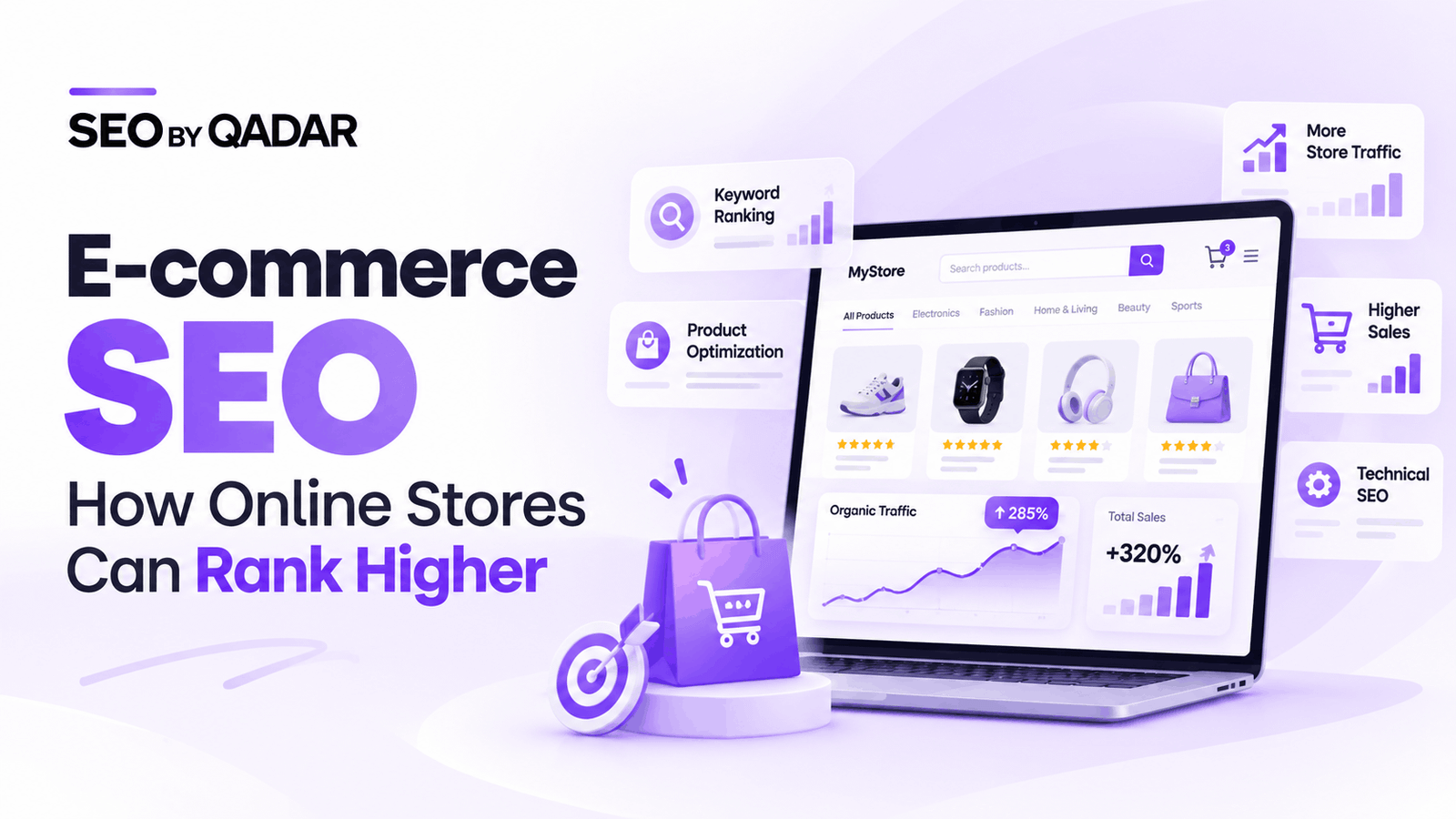
E-commerce SEO is the process of optimizing an online store to improve its visibility in search engine results. It helps search engines discover, understand, and rank product pages, category pages, and other important website content.
A well-planned e-commerce SEO strategy helps businesses attract relevant visitors, improve product visibility, and increase opportunities for online sales.
What Is E-commerce SEO?
E-commerce SEO focuses on improving an online store so that its products and categories appear in relevant search results. It includes keyword research, on-page optimization, technical SEO, internal linking, content creation, and product data optimization.
The main objective is to attract potential customers who are actively searching for products your business offers.
E-commerce SEO generally includes the following activities:
• Keyword research for product and category pages.
• Product title and description optimization.
• Category page optimization.
• Technical SEO and website structure improvements.
• Internal linking between related pages.
• Product image optimization.
• Structured data implementation.
• Content marketing and link building.
Why Is E-commerce SEO Important?
E-commerce SEO helps online stores reach customers through organic search without relying entirely on paid advertising.
When your website appears for relevant product searches, potential customers can discover your products while researching options or preparing to make a purchase.
The main benefits of e-commerce SEO include:
• Increased organic traffic: Attract visitors who are searching for relevant products.
• Better product visibility: Help search engines understand and display your product and category pages.
• Improved user experience: Make it easier for customers to navigate your store and find products.
• More sales opportunities: Connect your products with shoppers who have relevant buying intent.
• Long-term growth: Build sustainable organic visibility through consistent optimization.
• Reduced dependence on paid advertising: Develop an additional source of website traffic over time.
How to Conduct Keyword Research for E-commerce SEO
Keyword research helps you understand what customers search for before purchasing a product. The right keywords should match the purpose of each page and the customer’s search intent.
1. Product Keywords
Product keywords target specific products, brands, models, sizes, or other attributes.
Examples include:
• Nike running shoes.
• Samsung Galaxy mobile phone.
• Leather office chair.
• Black cotton T-shirt.
These keywords are generally suitable for relevant product pages.
2. Category Keywords
Category keywords target broader groups of products.
Examples include:
• Men’s shoes.
• Office furniture.
• Women’s clothing.
• Kitchen appliances.
Category pages should be optimized for the main search terms that accurately describe the products within each category.
3. Long-Tail Keywords
Long-tail keywords are more specific search phrases that often communicate a clearer customer requirement.
Examples include:
• Best running shoes for beginners.
• Affordable office chairs for home offices.
• Waterproof hiking shoes for men.
• Cotton bedsheets for double beds.
These keywords can help you identify opportunities for product pages, subcategories, and buying guides.
4. Informational Keywords
Informational keywords are used by customers who want answers before making a purchase.
Examples include:
• How to choose running shoes.
• How to clean leather furniture.
• Which mattress is best for back support.
• How to choose the right clothing size.
You can target these searches through helpful blog posts and buying guides that link naturally to relevant products.
Product Page Optimization
Product pages are among the most important pages on an e-commerce website because they provide the information customers need to make purchasing decisions.
1. Optimize Product Titles
Product titles should clearly explain what the product is. Include relevant attributes such as brand, model, size, color, or material when they help identify the item.
For example, instead of using a generic title such as “Shoes,” use a more descriptive title such as “Men’s Black Running Shoes.”
2. Write Unique Product Descriptions
Avoid using identical manufacturer descriptions across all your product pages when you can provide more useful and original information.
A good product description should explain:
• The main features of the product.
• The benefits for the customer.
• The material, size, or specifications.
• The intended use of the product.
• Important compatibility or care information, where relevant.
• Any limitations customers should know before purchasing.
Keep descriptions clear, accurate, and helpful instead of repeating keywords unnecessarily.
3. Optimize Product Images
Images help customers understand the product before purchasing. Image optimization also helps search engines interpret visual content.
Follow these practices:
• Use clear, high-quality product images.
• Give image files descriptive names.
• Add meaningful alt text to informative images.
• Compress images to reduce file size.
• Use appropriate image dimensions.
• Display multiple product angles when useful.
4. Add Customer Reviews
Genuine customer reviews can help shoppers understand the product through other buyers’ experiences.
Reviews may also provide useful information about product quality, sizing, fit, and performance.
Encourage genuine feedback and display reviews clearly. Never create fake reviews or misleading ratings.
5. Display Accurate Product Information
Make important purchasing information easy to find.
Include the following details where applicable:
• Product price.
• Stock availability.
• Shipping information.
• Return and refund policies.
• Product specifications.
• Warranty information.
• Genuine customer ratings and reviews.
Keep this information accurate and consistent across your website and any product feeds you use.
Category Page Optimization
Category pages help customers browse groups of related products. They can also target broader commercial keywords that individual product pages may not be suited to rank for.
To optimize category pages:
• Use a clear and descriptive H1 heading.
• Write a useful category introduction.
• Organize products into relevant groups.
• Link to important subcategories.
• Use descriptive internal links.
• Optimize category images where appropriate.
• Avoid unnecessary keyword repetition.
• Make product listings easy to browse.
Category content should help customers understand the available products rather than simply adding text to increase page length.
Technical SEO for E-commerce Websites
Technical SEO helps search engines crawl, understand, and index your website correctly. It becomes particularly important for large online stores with hundreds or thousands of product URLs.
1. Improve Website Structure
Organize your website so that customers and search engines can easily discover important pages.
A typical e-commerce structure looks like this:
Home Page → Category Page → Subcategory Page → Product Page
For example:
Home Page → Clothing → Men’s Clothing → Men’s T-Shirts → Product Page
This structure makes navigation clearer and helps search engines understand the relationship between pages.
2. Improve Website Speed
Slow pages can frustrate shoppers and make it harder for them to complete purchases.
Improve performance by:
• Compressing large images.
• Reducing unnecessary scripts.
• Using efficient caching.
• Choosing reliable hosting.
• Limiting unnecessary plugins.
• Monitoring Core Web Vitals.
Test important product and category pages on both mobile and desktop devices.
3. Optimize Mobile Usability
Your online store should work properly on mobile devices.
Make sure that:
• Text is readable without zooming.
• Buttons are easy to tap.
• Product images display correctly.
• Navigation is simple.
• Product information is easy to access.
• The checkout process works smoothly.
4. Use Canonical Tags Correctly
E-commerce websites may generate multiple URLs for similar products or filtered category pages.
Canonical tags help indicate which URL should be treated as the preferred version of a page.
Review canonical tags carefully when products have variations or when filters generate multiple URL combinations.
5. Optimize XML Sitemaps
An XML sitemap helps search engines discover important website URLs.
Your sitemap should generally include the important pages you want search engines to index, such as eligible product and category pages.
Review the sitemap regularly to identify unnecessary URLs, redirects, and pages that should not be included.
6. Manage Filter and Pagination URLs
Filters help customers narrow products by price, size, color, brand, and other attributes. However, combinations of filters can generate large numbers of URLs.
To manage them effectively:
• Identify filtered pages that have genuine search demand.
• Avoid indexing every possible filter combination.
• Use consistent canonicalization where appropriate.
• Ensure important products remain accessible through crawlable links.
• Review indexing issues in Google Search Console.
Product Structured Data and Google Merchant Center
Structured data helps search engines understand product information, including product names, prices, availability, and other supported attributes.
For e-commerce websites, Product structured data can help eligible pages qualify for enhanced search presentations.
Important practices include:
• Implement relevant Product structured data.
• Keep prices accurate.
• Update product availability when stock changes.
• Ensure structured data matches visible page content.
• Validate implementation with Google’s available testing tools.
• Keep product feeds accurate when using Google Merchant Center.
Structured data does not guarantee higher rankings or enhanced search results, but accurate implementation helps search engines interpret your product information.
Internal Linking for E-commerce SEO
Internal links connect pages within your website. They help customers discover related products and allow search engines to understand your website structure.
A strong internal linking strategy should include:
• Links from the home page to important categories.
• Links from category pages to relevant subcategories.
• Links from subcategories to product pages.
• Links from buying guides to relevant products.
• Breadcrumb links that show the page hierarchy.
• Descriptive anchor text that explains the destination page.
Avoid leaving important product pages without internal links. Use links naturally and prioritize pages that are valuable to your customers and business.
How Content Marketing Supports E-commerce SEO
Content marketing helps online stores answer customer questions, build topical relevance, and guide potential buyers toward suitable products.
Useful content formats include:
1. Buying Guides
Buying guides explain what customers should consider before purchasing a product.
Examples include:
• How to choose the right mattress.
• A guide to buying office furniture.
• How to select running shoes.
2. Product Comparisons
Comparison articles explain the differences between products and help customers evaluate their options.
Examples include:
• Product A vs. Product B.
• Leather furniture vs. fabric furniture.
• Different types of kitchen appliances.
3. How-to Articles
How-to content answers practical questions related to product selection, use, and maintenance.
Examples include:
• How to clean leather shoes.
• How to maintain wooden furniture.
• How to choose the right clothing size.
4. Frequently Asked Questions
FAQ content addresses common customer concerns about sizing, compatibility, delivery, warranties, returns, and product usage.
Create content that provides genuine value instead of publishing articles simply to target additional keywords.
Common E-commerce SEO Mistakes to Avoid
Several common mistakes can reduce an online store’s search visibility or make it harder for customers to find products.
1. Duplicate Product Descriptions
Using identical descriptions across many products can make pages less distinctive. Add useful, accurate details that help customers understand each product.
2. Keyword Stuffing
Repeating the same keyword excessively makes content unnatural and reduces readability. Use relevant terms naturally in titles, headings, descriptions, and supporting content.
3. Poor Website Navigation
If customers cannot easily find categories and products, they may leave the website without completing their purchase. Maintain a clear navigation structure.
4. Ignoring Mobile Optimization
A website that works poorly on mobile devices can frustrate shoppers. Test navigation, product pages, forms, and checkout on different screen sizes.
5. Incorrect Canonical Tags
Incorrect canonical tags can signal the wrong preferred URL to search engines. Review canonicalization carefully, especially on websites with product variations and filters.
6. Broken Internal Links
Broken links make navigation more difficult and can prevent users from reaching important pages. Audit internal links regularly and fix or update broken destinations.
7. Poor Image Optimization
Large images can slow down pages, while missing or unhelpful alt text can reduce accessibility and make image content harder to interpret.
8. Neglecting Product Availability
Out-of-stock and discontinued products should be handled according to their circumstances. Consider whether the product will return, whether a suitable replacement exists, and whether the URL still serves customers.
E-commerce SEO Checklist
Use this checklist to review the essential SEO elements of your online store.
On-Page SEO
• Optimize product titles and meta descriptions.
• Use clear H1 headings.
• Write useful and distinctive product descriptions.
• Optimize category page content.
• Add descriptive image alt text where appropriate.
• Use relevant internal links.
Technical SEO
• Check website crawlability and indexation.
• Review canonical tags.
• Maintain an accurate XML sitemap.
• Improve mobile usability.
• Monitor website performance and Core Web Vitals.
• Manage unnecessary filter URLs.
Product Optimization
• Keep prices and stock information accurate.
• Display clear product specifications.
• Add genuine customer reviews.
• Implement valid Product structured data where applicable.
• Maintain accurate Merchant Center product feeds when used.
Content and Performance Monitoring
• Publish useful buying guides.
• Create relevant product comparison content.
• Monitor organic clicks and impressions.
• Track important product and category page performance.
• Review conversions and revenue from organic search.
How Long Does E-commerce SEO Take?
E-commerce SEO does not have a fixed timeline. Results depend on several factors, including website condition, competition, domain history, content quality, technical issues, and the consistency of optimization efforts.
Some improvements may help search engines discover or understand pages sooner, while meaningful ranking and traffic improvements can take longer.
Monitor your progress through Google Search Console and website analytics.
Important metrics include:
• Organic clicks and impressions.
• Rankings for relevant keyword groups.
• Product and category page traffic.
• Indexation of important URLs.
• Organic conversions.
• Revenue generated through organic search.
These metrics help you evaluate whether your SEO activities are improving visibility and supporting business goals.
Frequently Asked Questions About E-commerce SEO
What Is E-commerce SEO?
E-commerce SEO is the process of optimizing an online store to improve its visibility in search engines. It includes product optimization, category page improvements, technical SEO, internal linking, and content creation.
Why Is E-commerce SEO Important?
It helps online stores attract relevant organic traffic, improve product discoverability, and reach customers who are searching for products they may want to purchase.
What Are the Most Important E-commerce SEO Factors?
Important areas include search intent, product and category page quality, website structure, crawlability, internal linking, mobile usability, and accurate product information.
Do Product Descriptions Help SEO?
Useful product descriptions help customers understand products and provide search engines with relevant page content. Original, accurate information can make product pages more helpful and distinctive.
Does Website Speed Affect E-commerce SEO?
Website speed contributes to the overall user experience. Improving performance can make shopping easier, although speed alone does not guarantee higher rankings.
How Can I Track E-commerce SEO Performance?
Use Google Search Console to monitor organic search impressions, clicks, and queries. Use website analytics to evaluate product page visits, conversions, and revenue from organic traffic.
Conclusion
E-commerce SEO helps online stores improve search visibility, attract relevant visitors, and create a better shopping experience. A successful strategy combines keyword research, product optimization, category page improvements, technical SEO, internal linking, and useful content.
Start by optimizing your most important product and category pages. Then address technical issues, improve website navigation, and create content that answers genuine customer questions.
Consistent monitoring and improvement can help your online store build stronger organic visibility and create more opportunities for long-term growth.